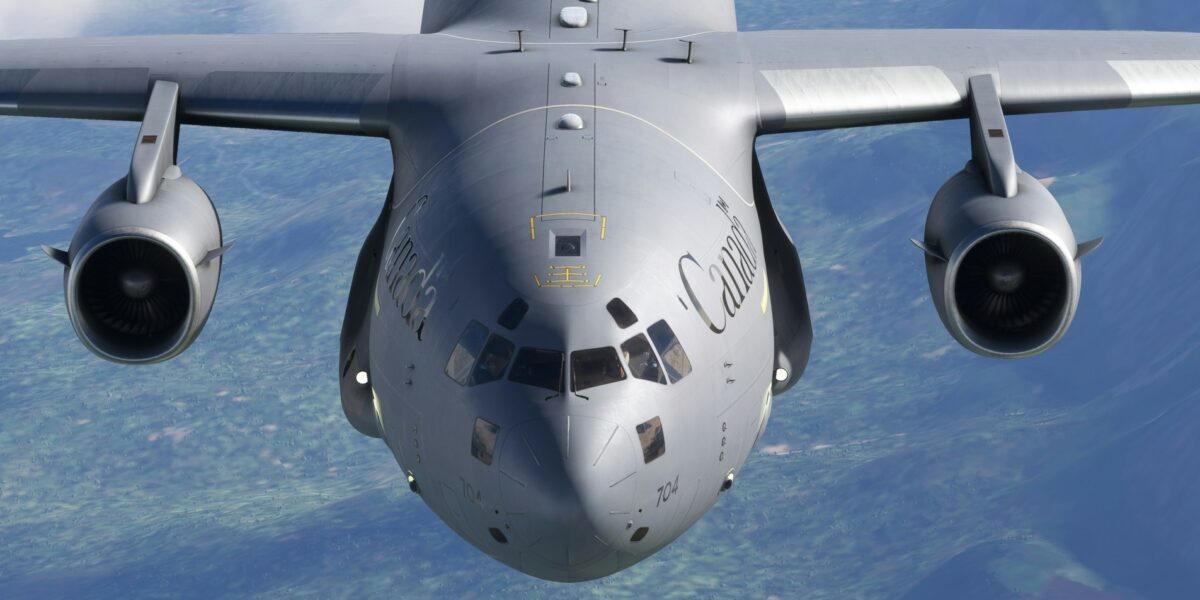
Inside the C-17 Simulator: What 70 Hours of Training Really Looks Like
Before you ever touch the controls of a real C-17 Globemaster III, you’ll spend approximately 70 hours in one of the most advanced flight simulators ever built. The C-17 Weapon System Trainer (WST) is so realistic that pilots often forget they’re not actually flying—until the motion stops and the doors open.
Understanding what happens inside the simulator prepares you for training and explains why C-17 pilots are among the best-prepared in military aviation.
The C-17 Weapon System Trainer: A $50 Million Training Device
The WST isn’t a video game with a cockpit shell. It’s a full-motion, six-axis simulator that replicates every aspect of C-17 flight with startling accuracy.
What Makes It Real
- Full-motion platform: The simulator moves in all six degrees of freedom—pitch, roll, yaw, heave, sway, and surge
- Exact cockpit replica: Every switch, button, and display matches the actual aircraft
- Visual system: 180-degree field of view with day, night, and adverse weather conditions
- Sound system: Engine noise, aerodynamic sounds, and warnings match real aircraft
- G-seat and harness: Simulates acceleration forces you can’t replicate with motion alone
The realism is so complete that pilots have been known to grab the seat during simulated emergencies, convinced they’re actually in danger.
Your First Simulator Session: What to Expect
Walking into the simulator facility is intimidating. The WST sits on massive hydraulic legs, looking like something from science fiction. Here’s what happens once you climb inside.
The Briefing
Every simulator session begins with a detailed brief—typically 30-60 minutes. Your instructor covers:
- Training objectives for the session
- Specific maneuvers you’ll practice
- Emergency scenarios that may be introduced
- Evaluation criteria (if applicable)
Take notes. Ask questions. The brief sets you up for success in the simulator.
Settling Into the Cockpit
The cockpit is dark when you first enter. As systems come online, the displays illuminate, and you’re suddenly in a C-17 cockpit—parked on a runway somewhere in the world.
Initial sessions focus on familiarization:
- Locating primary controls and displays
- Understanding the automation
- Practicing checklists
- Learning to work with the flight management system
The First Takeoff
Your first simulated takeoff is memorable. Throttles forward, the motion platform tilts back simulating acceleration, engine noise builds, and the visual system shows the runway rushing past. At rotation, you pull back and the entire platform pitches up.
You’re flying. Sort of.
New students typically make one of two mistakes:
- Over-controlling: The fly-by-wire system is sensitive. Small inputs produce smooth responses.
- Fixation: Getting locked on one display while the aircraft does something unexpected.
Both are corrected with practice.
The Training Progression: 70 Hours of Intensity
Simulator training follows a carefully designed syllabus that builds skills progressively.
Phase 1: Basic Aircraft Handling (Sessions 1-5)
The first 15-20 hours focus on fundamental skills:
- Takeoffs and landings: Normal conditions, various weights
- Basic maneuvers: Turns, climbs, descents
- Instrument flying: Operating solely by reference to instruments
- Introduction to automation: Autopilot, autothrottles, flight management
By the end of Phase 1, you should be able to fly the aircraft from takeoff to landing under normal conditions.
Phase 2: Instrument Procedures (Sessions 6-10)
Hours 20-35 introduce complex instrument operations:
- ILS approaches: Precision approaches using instrument landing systems
- Non-precision approaches: VOR, NDB, GPS approaches
- Holding patterns: Both published and random
- Missed approaches: What to do when you can’t land
This phase is demanding. The C-17’s advanced avionics help, but you must understand the procedures thoroughly.
Phase 3: Emergency Procedures (Sessions 11-17)
Hours 35-55 are where training gets serious. You’ll experience:
- Engine failures: On takeoff, in cruise, on approach
- Fires: Engine, APU, cargo compartment, electrical
- Hydraulic malfunctions: System failures, leaks, degraded flight controls
- Electrical failures: Generator failures, bus malfunctions, complete electrical failure
- Flight control problems: Degraded modes, manual reversion
- Rapid decompression: Emergency descent procedures
The simulator’s value becomes clear here. Practicing a four-engine flameout at 35,000 feet would be suicidal in a real aircraft. In the simulator, you’ll do it multiple times until the recovery is automatic.
Phase 4: Mission Profiles (Sessions 18-22)
The final 15 hours integrate everything into realistic missions:
- Formation flying: Operating in visual and instrument conditions with other aircraft
- Airdrop operations: Personnel and cargo delivery
- Tactical operations: Low-level flight, assault landings
- Mission planning: Complete missions from planning through execution
Inside a Typical Emergency Scenario
To understand what simulator training really involves, consider a representative emergency session:
You’re cruising at FL350, autopilot engaged, 200 miles from your destination. Everything is routine. Then:
MASTER CAUTION illuminates. ENGINE FIRE light #3.
Your training kicks in. Memory items: Throttle 3 idle. Confirm fire with fire handle. Pull handle. Discharge agent one. Wait 30 seconds. Still burning? Discharge agent two.
Meanwhile, you’re descending (three-engine cruise altitude is lower), coordinating with ATC, briefing the crew, calculating fuel requirements to the nearest suitable airport, and running the appropriate checklist.
Twenty minutes later, you’ve landed safely at the divert field. The motion stops. The instructor’s voice comes through: “Good handling. Let’s reset and try an engine failure on takeoff.”
This cycle—emergency, response, debrief, reset—repeats throughout your training.
Why Simulator Training Works
Research consistently shows that simulator-trained pilots perform better in actual emergencies. The reasons:
Pattern Recognition
By experiencing dozens of emergencies in simulation, your brain develops pattern recognition. When something goes wrong in a real aircraft, you’ve seen it before. The response is almost reflexive.
Stress Inoculation
The first time you experience a simulated engine fire, your heart races and your palms sweat. By the tenth time, you’re calm and methodical. This stress inoculation transfers to real emergencies.
Muscle Memory
Physical actions—reaching for the correct switch, moving the throttles appropriately, configuring for landing—become automatic through repetition. In a real emergency, you don’t have time to think about where controls are located.
Systems Understanding
Working through emergencies in simulation deepens your understanding of aircraft systems. You learn not just what to do, but why—and what happens if you don’t.
Common Simulator Struggles and Solutions
Struggle: Simulator Sickness
Some students experience nausea in the motion simulator. Solutions:
- Stay hydrated
- Avoid looking at the motion platform
- Focus on the visual display, not your inner ear
- Take breaks if needed
Struggle: Information Overload
The C-17 cockpit presents enormous amounts of information. Solutions:
- Develop a consistent scan pattern
- Learn to filter—what’s important RIGHT NOW?
- Use the automation appropriately
- Don’t try to monitor everything simultaneously
Struggle: Falling Behind the Aircraft
When you feel overwhelmed and unable to keep up. Solutions:
- Prioritize: Aviate, Navigate, Communicate
- Use the autopilot to reduce workload
- Ask for help—the crew is there to assist
- Don’t be afraid to request a hold or delay from ATC
The Transition to Real Aircraft
After approximately 70 simulator hours, you’ll finally fly an actual C-17. The transition is surprisingly smooth for most students. The cockpit looks identical. The controls feel the same. Even the sounds are familiar.
What’s different:
- The view: Real weather, real terrain, real depth perception
- The feel: Subtle vibrations, G-forces, turbulence that the simulator can’t perfectly replicate
- The stakes: Knowing that there’s no instructor station to freeze the sim or reset the scenario
But the procedures you’ve practiced hundreds of times? They work exactly the same in the real aircraft.
The Bottom Line
The C-17 simulator is more than a training device—it’s where pilots develop the judgment, skill, and confidence to operate one of the most capable aircraft ever built. The hours spent in simulation aren’t just preparation for flying; they’re the foundation of everything that follows.
When you finally climb into a real C-17, you won’t be a student seeing the aircraft for the first time. You’ll be a pilot returning to a familiar cockpit, ready to fly.
Subscribe for Updates
Get the latest articles delivered to your inbox.
We respect your privacy. Unsubscribe anytime.